


Shopping Cart
0 Number of eSIMsHow to Buy and Activate Your Valevox eSIM

Choose your plan
Select the best data plan for your needs.

Complete your purchase and receive your QR code
Securely pay online in a few clicks and check your email for the eSIM activation code.
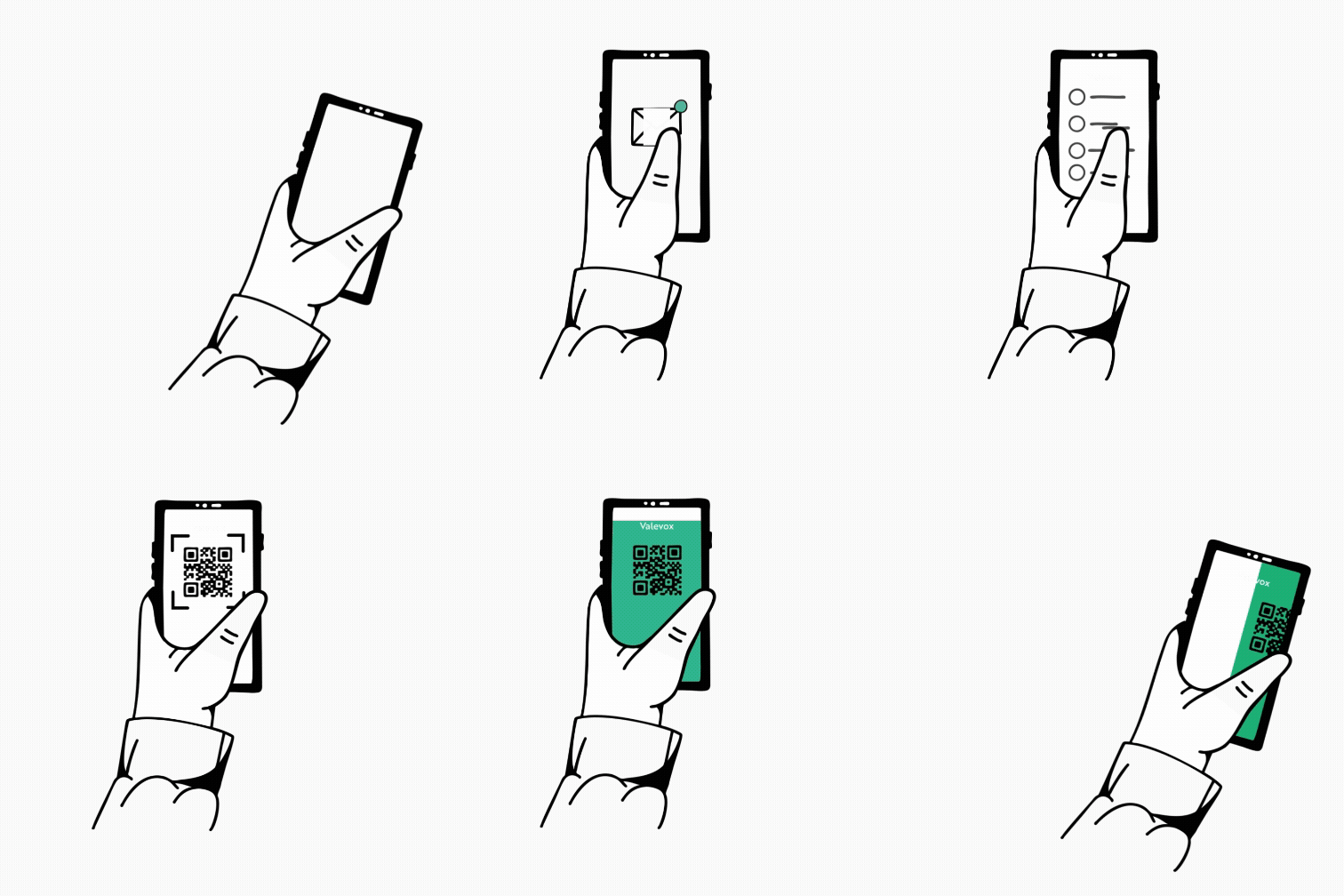
Scan your QR code and activate your eSIM
Add the eSIM to your device settings and follow the instructions to get connected instantly.

Enjoy seamless connectivity
Start using your eSIM.
Select the mode which you are going to complete the process on

Installation with QR code
Before starting the setup with a QR code, keep in mind:
- You need to have the QR code open on another screen or device to scan it with your phone’s camera.
- Make sure you have a stable internet connection throughout the process.
- Please note that the QR code can only be scanned once.
- Do not remove the eSIM from your device, as you will not be able to use it again.

Manual installation
Before starting manual setup, there are some important points to keep in mind:
- Manual installation codes can only be used once.
- Make sure you have a stable internet connection throughout the process.
- Do not remove the eSIM from your device, as you will not be able to use it again.
FAQ's ?
Frequently Asked Questions
An eSIM (embedded SIM) is a digital SIM that is built into your smartphone or other mobile devices. It replaces the need for a physical SIM card, allowing you to activate a mobile plan seamlessly.
If you're unable to locate the QR code, please reach out to our customer support team, available 24/7, at help@valevox.com or through our online chat. We'll promptly resend the code to you via email.
Valevox provides a seamless and affordable eSIM solution for travelers. With wide coverage, competitive pricing, and flexible data plans, it stands out among other providers. Activating your Valevox eSIM is quick and easy, ensuring a reliable connection wherever you go.
Yes, you will retain your WhatsApp number along with all your chats and contacts. You can continue using it as usual.
After purchase, you'll receive a QR code or activation link. On your phone, go to Settings -> Mobile Data (or Cellular) -> Add eSIM (or Add Data Plan). Scan the QR code or enter the code provided. Your travel eSIM will download and install. Finally, select it as your active data plan (usually by toggling it on). It's best to do this before departure or immediately upon arrival.
Most modern unlocked smartphones support eSIMs. For example, newer iPhones (XS/11 and later), recent Samsung Galaxy models, Google Pixels, and other 5G-capable devices. Check your phone's tech specs for "eSIM" or "digital SIM" support. Also ensure your device is unlocked (not locked to a specific carrier). If in doubt, contact the manufacturer or your carrier.
Travel eSIMs typically offer flexible data-only plans. You can choose country-specific plans, multi-country (e.g. Europe or Asia) bundles, or even global plans covering 137+ countries. Plans range from short-term (daily or weekly) to monthly packages, often with fixed gigabytes of data. Select the plan that matches your itinerary, travel length, and data needs.
No - that's the main benefit. When you use a travel eSIM, you are on a local network in your destination. Your home SIM's roaming should be turned off (usually automatically disabled), and you pay only the local data plan fees. This way you avoid expensive international roaming charges from your home carrier.
Yes. An eSIM is as secure as a regular SIM card. It is encrypted and built into your device, so it cannot be physically stolen or swapped. Your data plan and settings are managed through the phone. Just install the eSIM profile from a reputable provider and keep your device secure. If needed, you can remove or reset the eSIM profile anytime.
Refund and transfer policies differ by provider. In most cases, once an eSIM has been activated or any data has been used, it is non-refundable and cannot be transferred to another device or plan, except where required by law. For this reason, we do not offer refunds or transfers on eSIM purchases. To avoid unused data, we recommend selecting a plan that closely matches your travel length and data needs.
Yes, our eSIMs are multi-country plans, so you only need to purchase 1 eSIM for your travel needs.
First, make sure your phone's eSIM is enabled and that you've selected the correct plan in settings. Check that cellular data and roaming are turned on for the eSIM. If there's still no connection, then contact our support team via the normal channels.
 eSIM - Terms and Conditions